

A tennis coach that knows your game.

Meet Charly. It remembers every match, practice, and night of sleep you log, then tells you exactly what to work on next. Any hour, on or off the court.

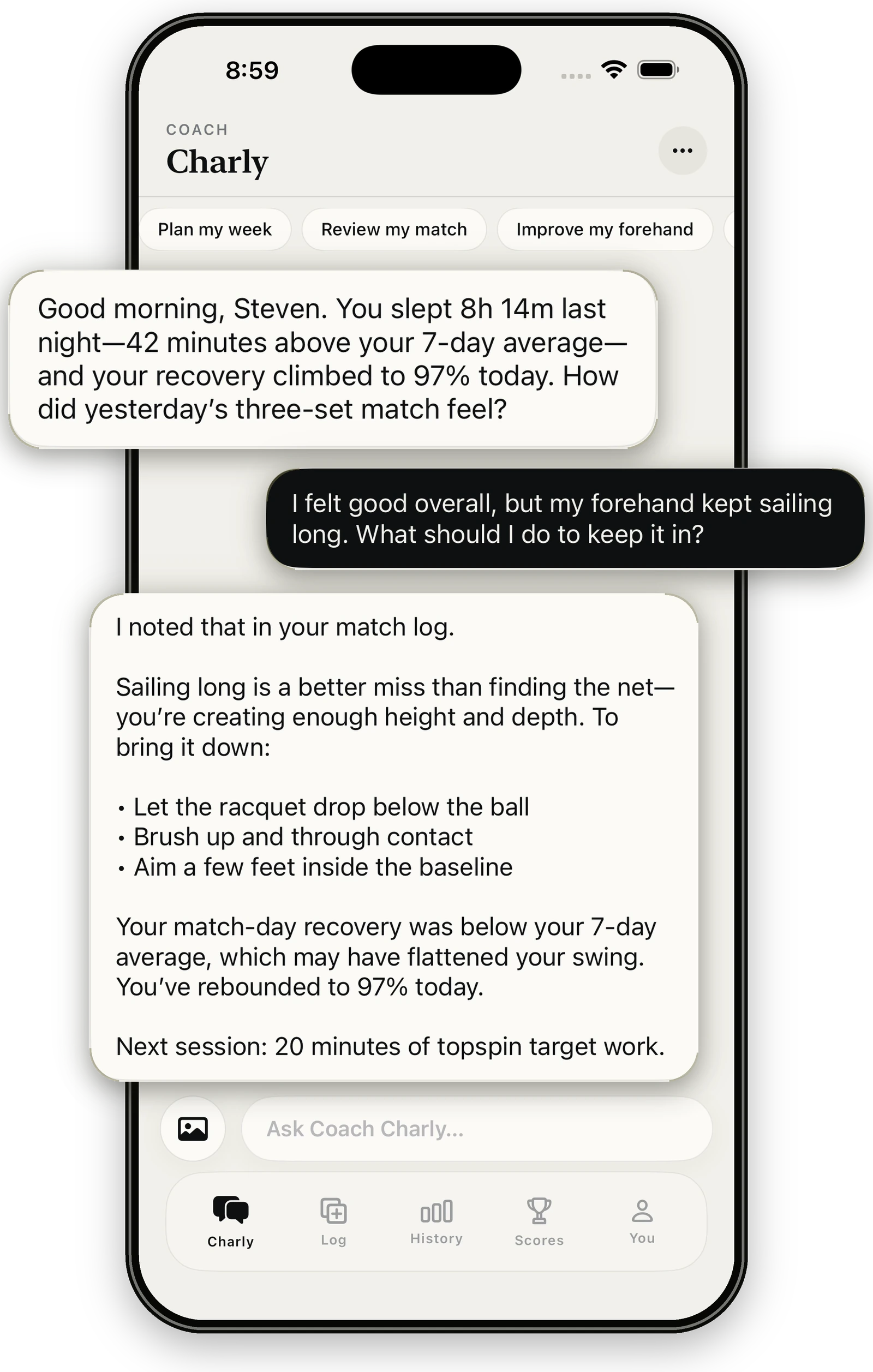
Charly replying to a player about a forehand that keeps sailing long, using their sleep and recovery data

Proactive coaching

You play. Charly handles the follow-up.

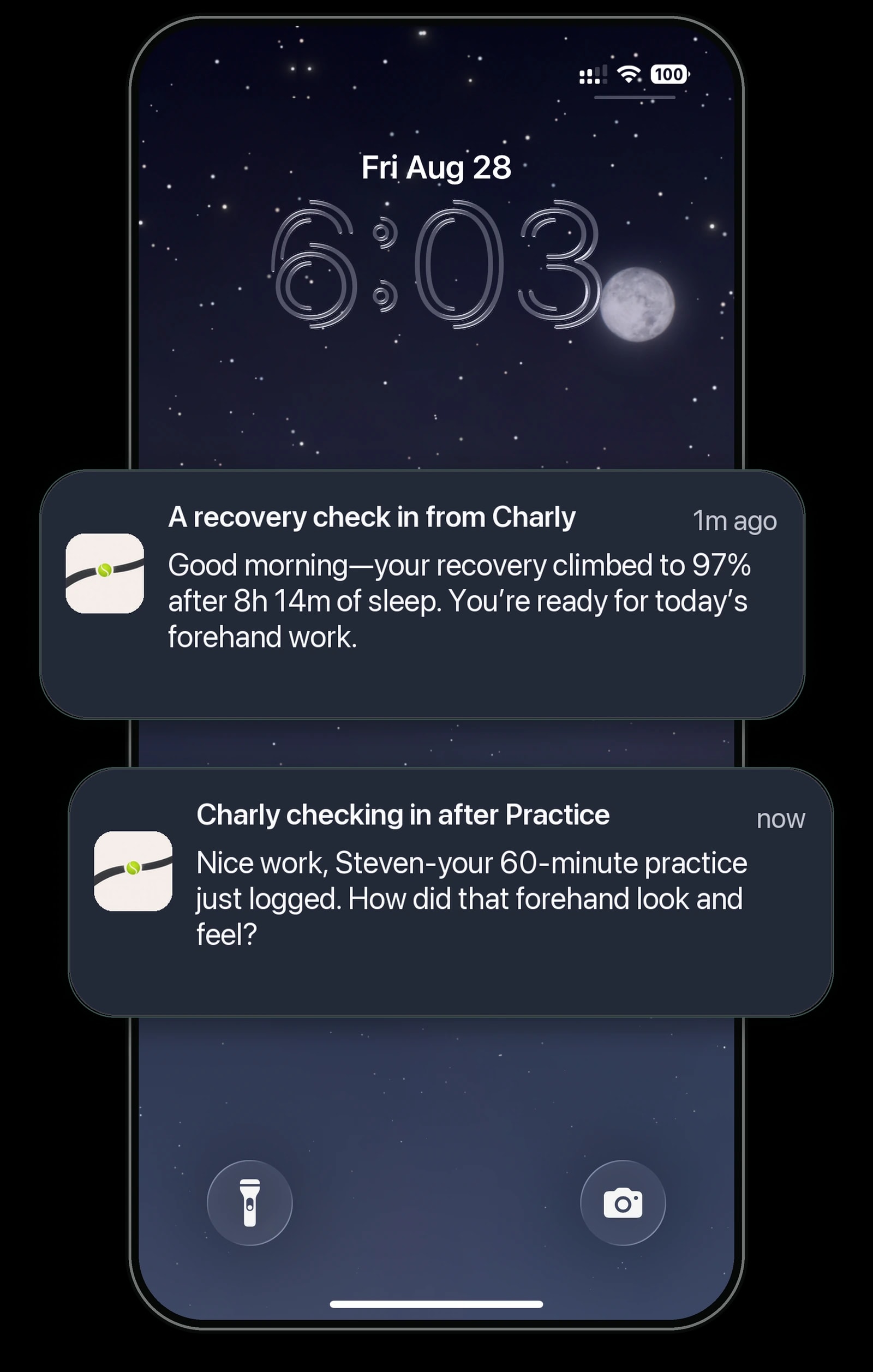
Most coaching apps wait for you to open them. Charly notices what just happened — a night of sleep, a finished session, a match you mentioned — and reaches out when it matters. No prompt needed.

  1. 6:52 AM

    Last night's sleep syncs from your wearable

    A recovery check in from Charly

    now

    Good morning—your recovery climbed to 97% after 8h 14m of sleep. You're ready for today's forehand work.

  2. 5:48 PM

    A 60-minute tennis workout imports from Apple Watch

    Charly checking in after Practice

    now

    Nice work—your 60-minute practice just logged. How did that forehand look and feel?

  3. Sat, 12:40 PM

    The league match you mentioned on Tuesday wraps up

    Charly checking in on your match

    now

    How did the league match go? Send me the score and I'll log it, then we'll look at what to work on next.

  4. Sun, 1:10 PM

    Yesterday's question is still waiting

    Charly following up

    now

    Still thinking about Saturday? One idea for your next session: start with ten minutes of crosscourt forehands to groove the new cue.

Example messages. Charly writes every check-in from your own logs and conversations.

Automatic logging

Wear what you already wear. Your training logs itself.

Connect Apple Health once. Workouts, sleep, steps, and heart rate sync in on their own from Apple Watch, WHOOP, Oura, Garmin, and other apps that share with Health, so Charly always has the full picture.

  • and more

Apple Health

One tap to connect, read-only

FlowState

Charly reads it all

  • Tennis sessions & workouts
  • Sleep
  • Recovery
  • Steps
  • Heart rate
  • Active energy
  • Weight
  • Stretching
  • More

What syncs depends on what each device shares with Apple Health. Apple Watch and Apple Health are trademarks of Apple Inc. WHOOP, Oura, and Garmin are trademarks of their respective owners; FlowState is not affiliated with or endorsed by them.

How it works

Connect once. Then just play.

  1. 01

    Connect Apple Health

    One tap brings in workouts, sleep, steps, and heart rate from Apple Watch, WHOOP, Oura, Garmin, and more.

  2. 02

    Play like you normally do

    Your sessions and recovery log themselves. Add a match score in a couple of taps, or just tell Charly.

  3. 03

    Hear from Charly

    Charly reaches out at the right moments with what your data means for today, and answers anything you ask.

Log & track

Matches in seconds. The rest is automatic.

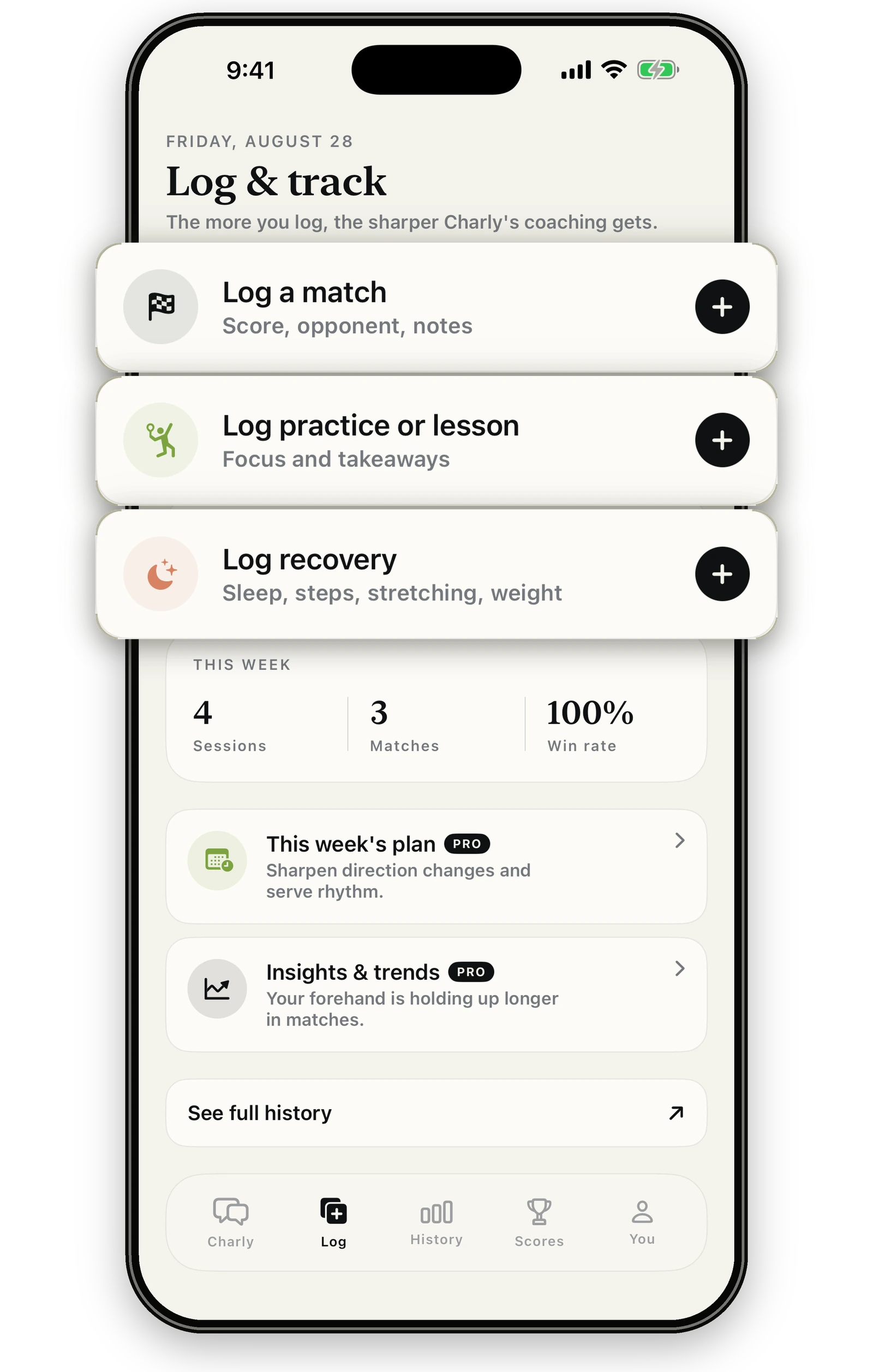
Workouts arrive from your watch with heart rate and energy already filled in. Add a match score in a couple of taps, or just tell Charly.

  • Sessions, sleep, and recovery import on their own
  • Matches and lessons in a few taps
Log & track screen with buttons to log a match, practice or lesson, and recovery

Follow-ups that remember

Mention a match once. Charly remembers.

Tell Charly about Saturday's league match or Thursday's lesson. It keeps the plan in mind, checks in when the time comes, and offers to log how it went.

  • Remembers plans you mention in chat
  • Checks in when the time comes
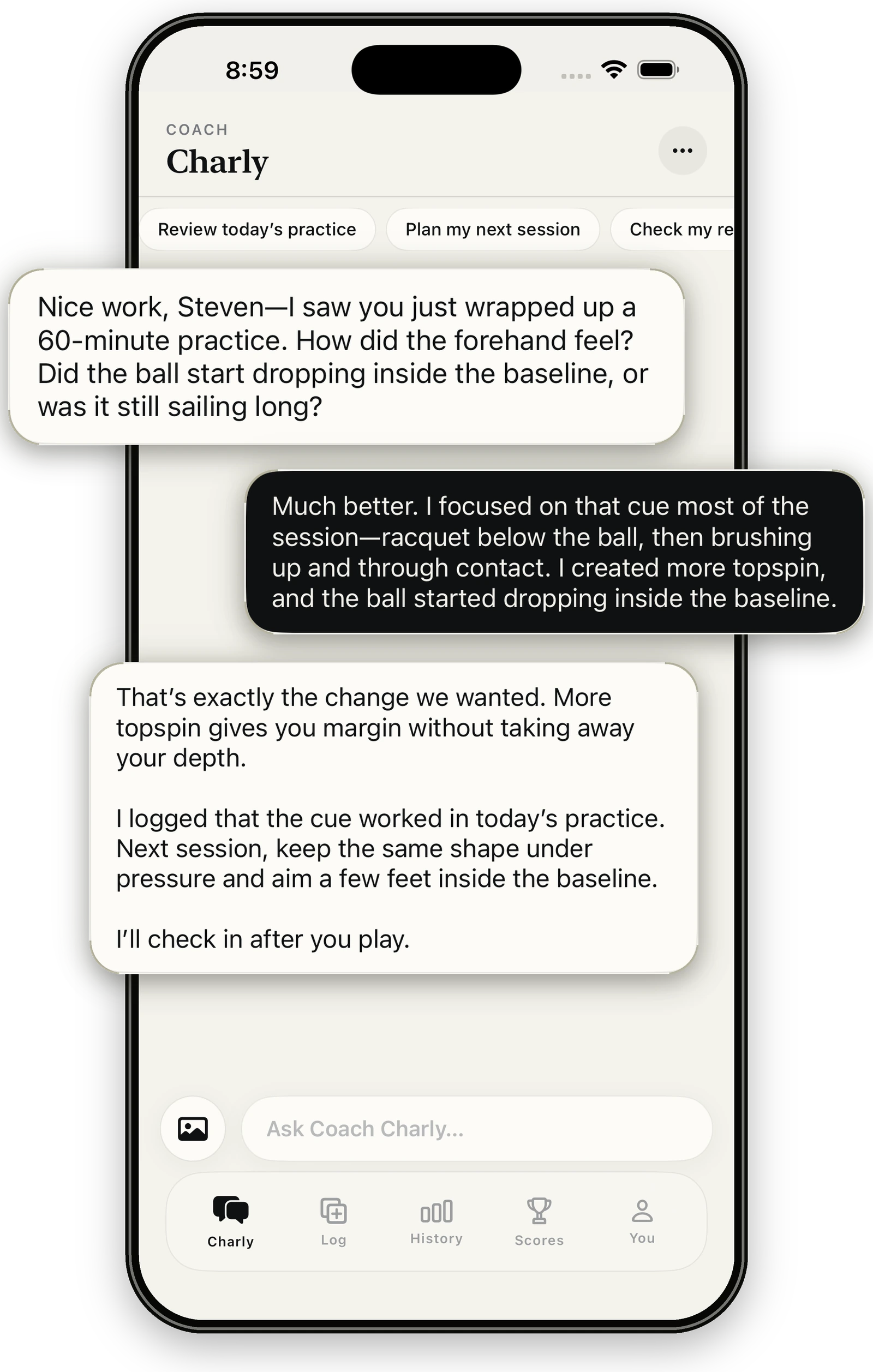
Charly checking in after a logged practice to ask how the forehand felt

Photo feedback

Snap your serve. Get the fix.

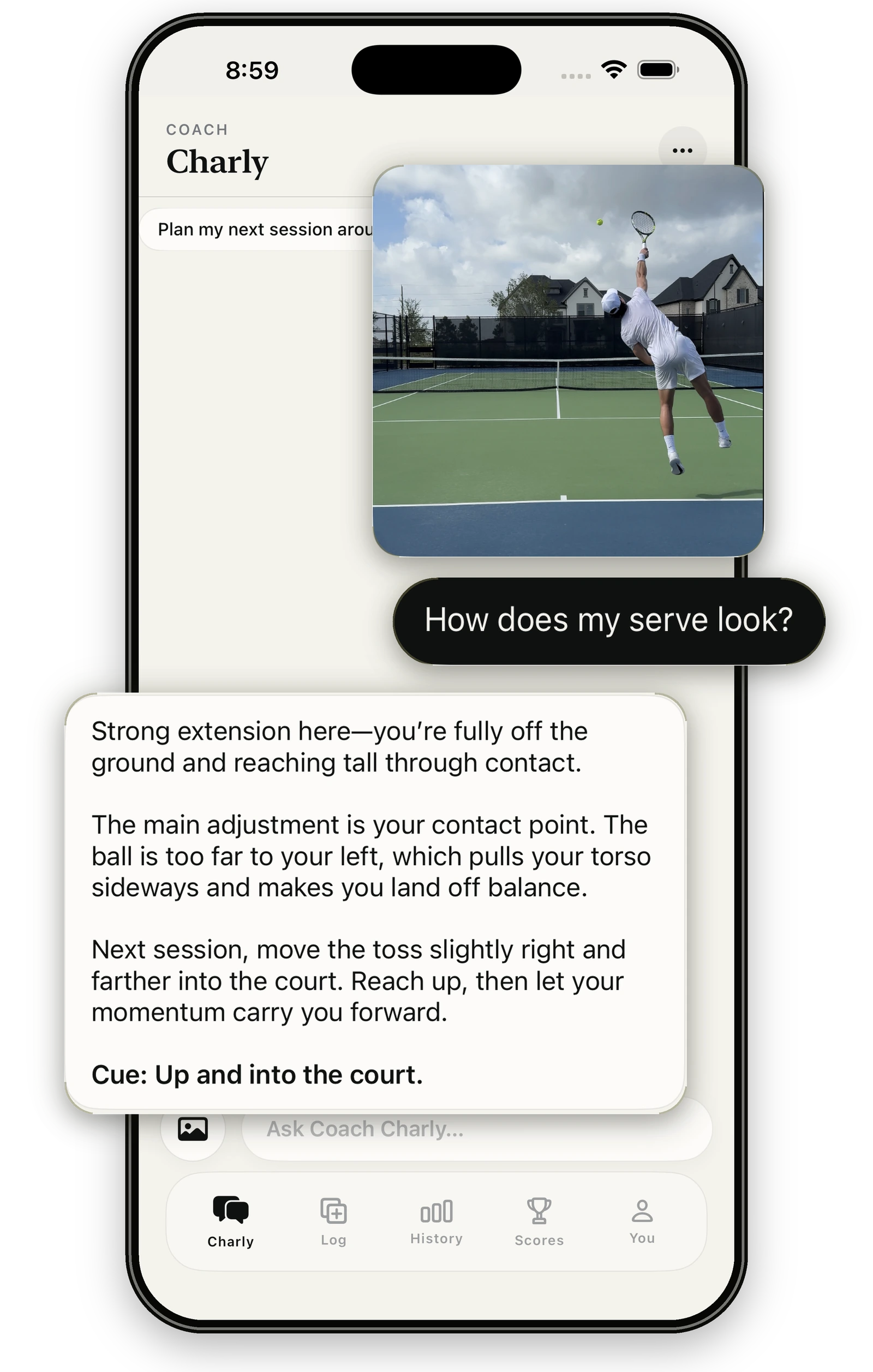
Send Charly a photo from the court and get feedback on what's actually happening: contact point, balance, toss. Then one simple cue to take into your next session.

  • Snap one on court or pick from your camera roll
  • Feedback tied to your level and goals
Charly giving feedback on a photo of a player's serve, ending with the cue: up and into the court

Between lessons

Your coach can’t be there at 10:48 PM. Charly can.

Nothing beats time on court with a great coach. But lessons end, schedules clash, and it rains. Charly is there for everything in between, and when you log your lessons, it helps you keep working on exactly what your coach is teaching.

Download for iPhone
  • 10:48 PMNerves before tomorrow's league match
  • 6:15 AMSolo hitting session, no one to ask
  • TuesdayRain cancelled the lesson
  • Next weekKeeping last lesson's cue alive

Also in FlowState

Everything around your game, in one place.

Live tour scores

Premium

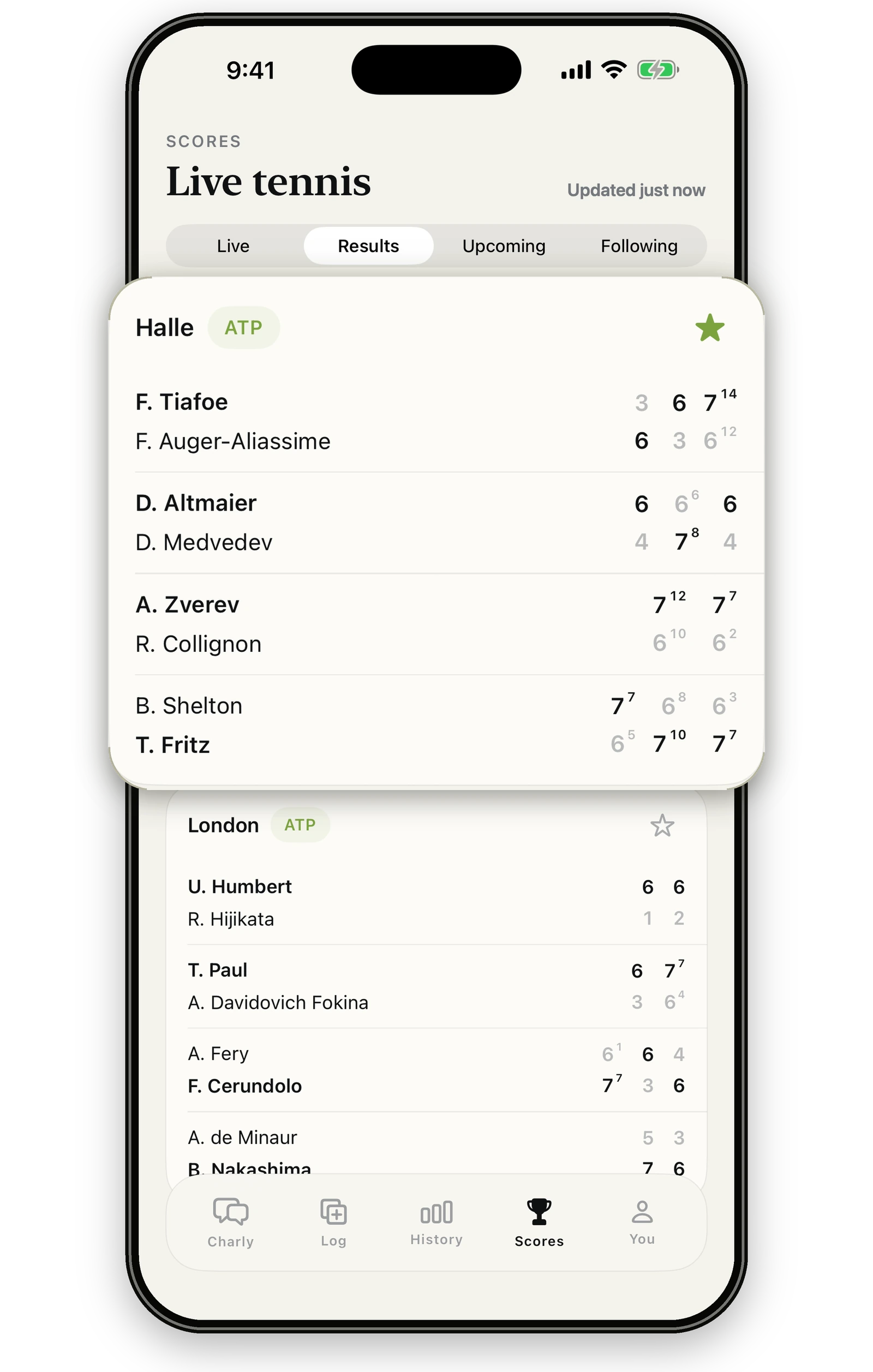
Follow ATP and WTA results as they happen, with widgets and Live Activities for the players you care about.

Live ATP scores from Halle in the FlowState Scores tab

Share your sessions

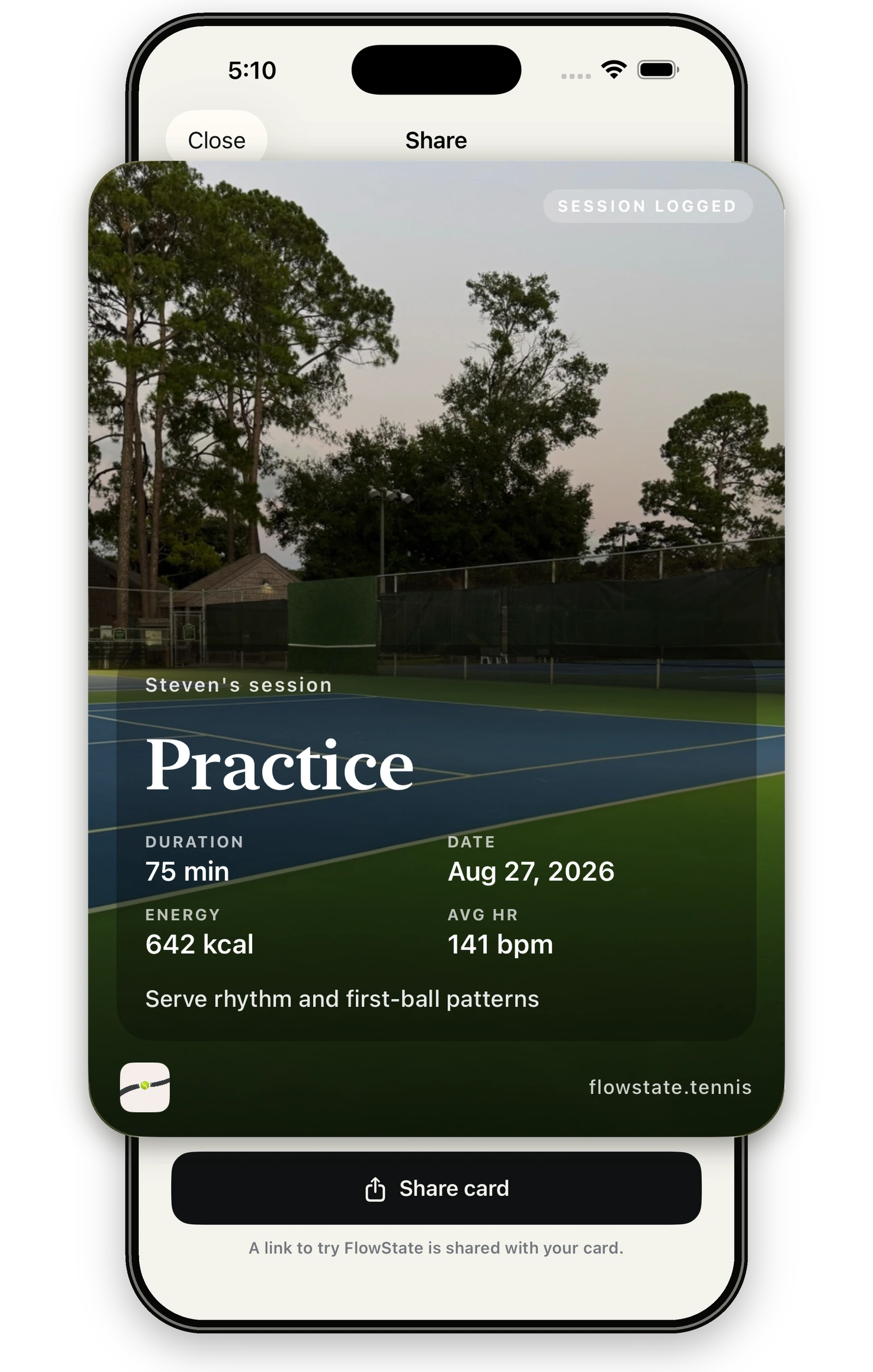
Turn any logged practice or match into a clean card with your duration, energy, and heart rate.

A shareable practice session card showing duration, energy, and average heart rate

Remembers what matters

Charly carries your goals, tendencies, and past advice from one conversation to the next, so you never start from zero.

Follows up after you play

Log a session and Charly asks how the thing you were working on held up, then adjusts what comes next.

Your data, your call

Apple Health access is read-only, and you can delete your account and data from inside the app whenever you like.

Questions, answered.

Which wearables work with FlowState?

Anything that shares data with Apple Health. That includes Apple Watch, plus WHOOP, Oura, Garmin, and other devices through their apps' Apple Health connections. FlowState reads workouts, sleep, steps, heart rate, active energy, and weight, read-only. What comes through depends on what each device shares with Health.

When does Charly reach out?

Around real moments: when last night's sleep syncs, after a practice or match is logged, when a plan you mentioned comes due, and once to follow up on a question you haven't answered. It holds off while you're mid-conversation, and you can turn notifications off anytime in iOS Settings.

Do I still need to log anything?

Less than you'd think. Workouts, sleep, and recovery import on their own. Matches take a couple of taps to add the score and opponent, or you can just tell Charly and it will log it for you.

Is FlowState free?

FlowState is free to download. Premium unlocks unlimited coaching with Charly, photo analysis, adaptive weekly plans, insights, and live scores, and new members can start with a free trial. You'll see the price and trial details in the app before you subscribe.

Is Charly meant to replace my coach?

No. Time on court with a great coach is the best way to improve, and FlowState is built to work alongside it. Charly covers the hours in between: the night before a match, the solo practice, the week you couldn't book a lesson. Log your lessons and Charly will help you keep working on what your coach taught.

What happens to my data?

Your logs and conversations are used to coach you. You can delete your account and its data from inside the app at any time. Our Privacy Policy explains exactly what we collect and why.

Is FlowState on Android?

Not yet. FlowState is available on iPhone.

Find your flow.

Connect Apple Health, play your next session, and let Charly take it from there.